Reconcile charges, deductions and refunds at move-out
Start with the lease, review unpaid charges and deposit deductions, then track tenant confirmation, completion and the resulting payments.
Move-out settlement: inspection to tenant confirmation
- Inspect the roomReview fixtures and handover condition
- Review unpaid chargesReview rent and other unsettled charges
- Apply deposit creditCheck the deposit available for offsets
- Prepare the statementShow settlement items and the balance
- Tenant confirms onlineAcknowledge the details; arrange funds separately
Start with the correct lease
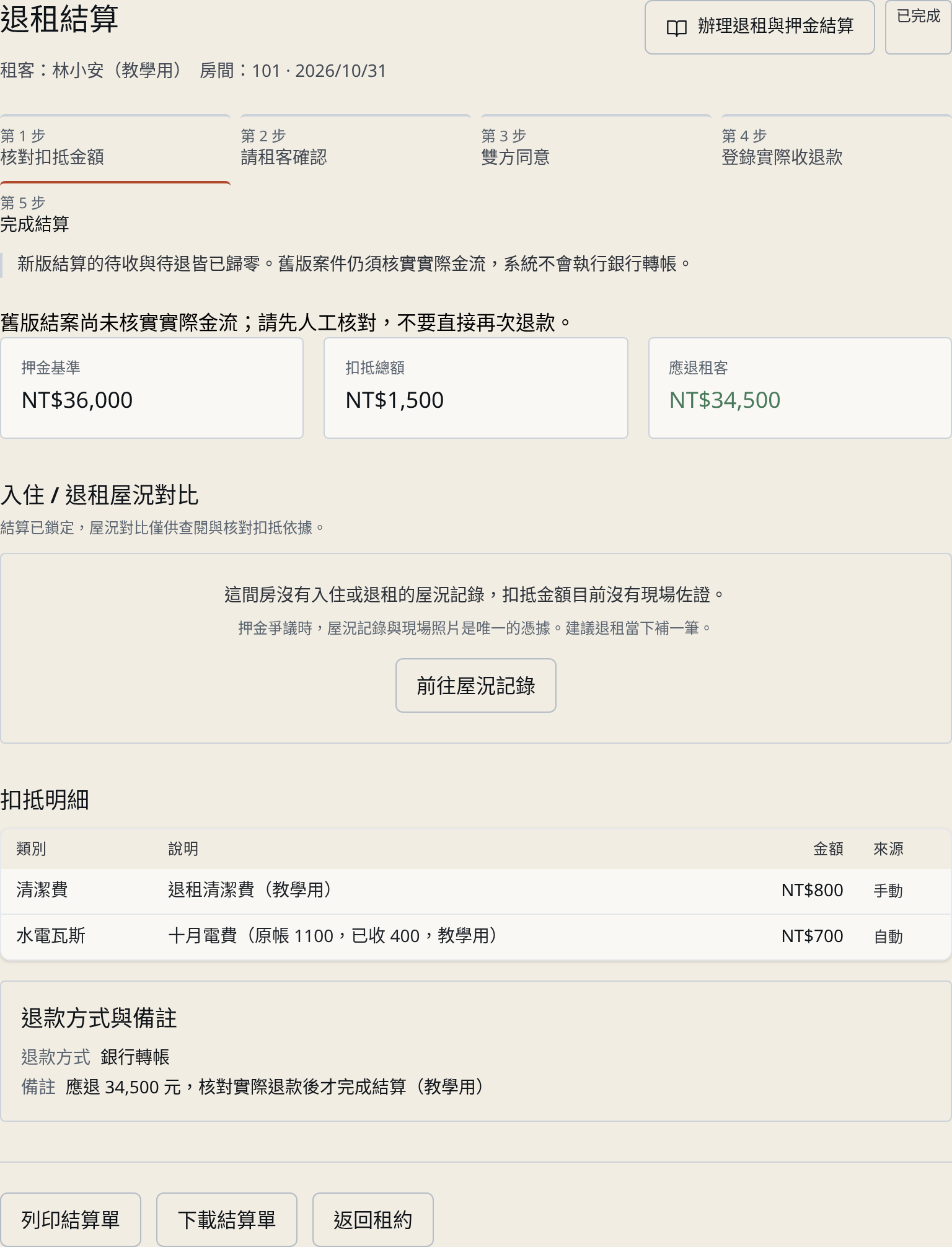
Confirm the tenant, room and lease before creating or opening a settlement draft. Review the handover and expense records; an estimated balance is not a receipt or a payment.
Complete a reviewed settlement
Check unpaid amounts, deductions and the refundable balance, then follow the tenant-confirmation and completion workflow. Record subsequent collection or refund using the settlement payment workflow.
Understand the feature and payment boundaries
Move-out settlement is a Personal-or-higher feature in current plans, subject to actual company enablement and role permissions. The system records settlement and payment activity; it does not automatically debit or refund money.
Rental reconciliation checklists and examples
- Monthly rent reconciliation checklist: separate rent due, received and unpaid
- Owner statement checklist: review the statement difference and the proposed transfer separately
- Electricity reconciliation checklist: source bills, room readings and an allocation example
- Rental-team Excel migration checklist: review properties, rooms and leases before import